
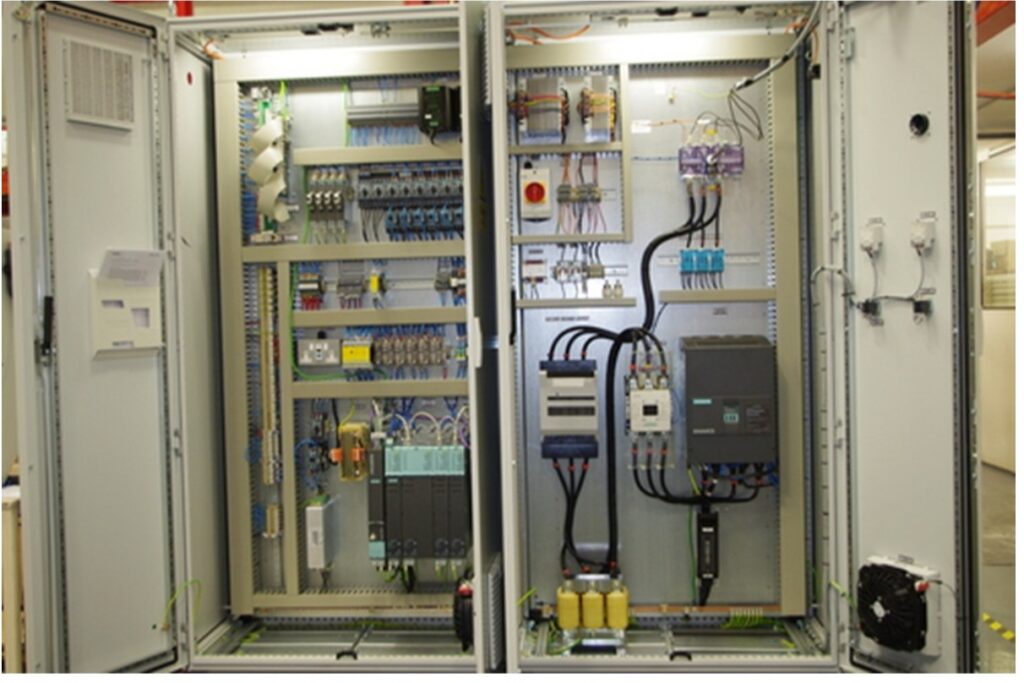
As a CNC machine tool operator, you are the first line of defense when it comes to machine health. Performing first-level maintenance (like basic inspections and cleaning) often requires access to the machine’s electrical cabinet.
However, the electrical cabinet is the heart of your CNC machine, and accessing it comes with strict safety protocols. Here is your essential guide to safely opening, inspecting, and closing the electrical cabinet door.
SAFETY FIRST: The Golden Rules
Before you even touch the cabinet door handle, you must memorize these critical safety warnings:
- Cut the Plant-Side Power: Always turn OFF the plant-side power supply (circuit breaker) before attempting any maintenance or inspection inside the cabinet.
- Beware of Residual Current: Even when the main power switch on the cabinet is turned OFF, internal components may still hold a dangerous residual charge. Never assume it is 100% safe to touch internal wiring.
- The 2-Meter Rule: Do not touch or attempt to maintain any devices installed at heights of 2 meters (approx. 6.5 ft) or greater above the ground. These components do not require routine operator maintenance.
How to Safely OPEN the Electrical Cabinet
Standard Procedure (Power OFF):
- Turn OFF the main power switch.
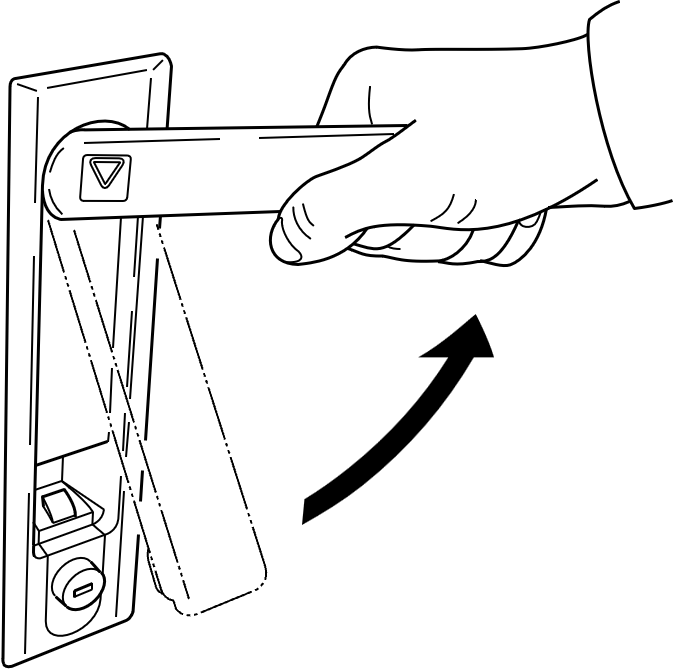
- Insert the cabinet key into the keyhole located just below the lever on the electrical cabinet door.
- Turn the key to release the lock. (You will feel the lever push outward slightly).
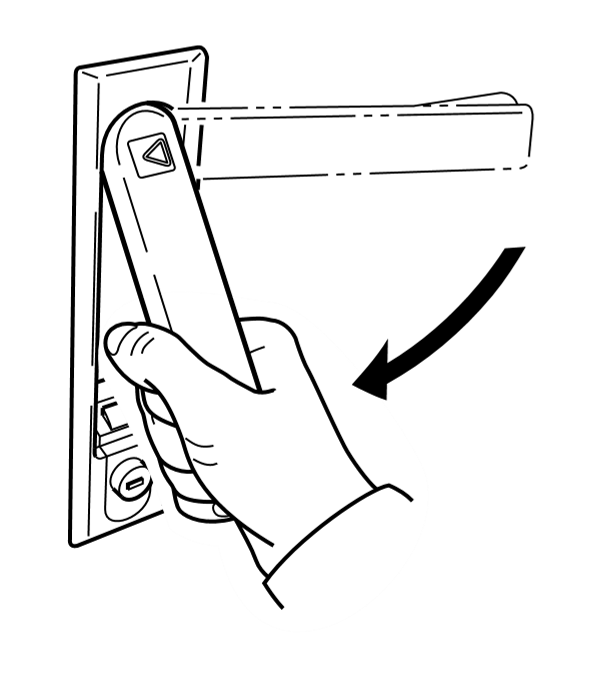
- Turn the lever 90° counterclockwise
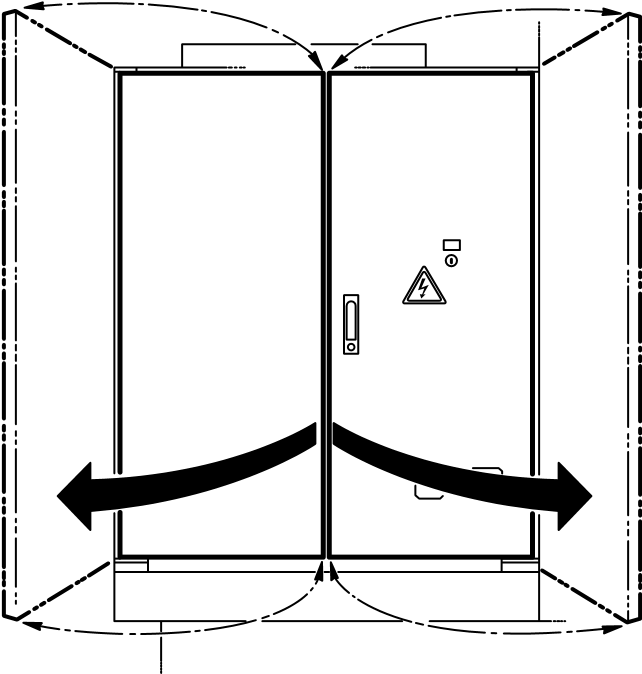
- Pull to open the electrical cabinet door.
How to Properly CLOSE the Electrical Cabinet
Leaving a cabinet door ajar or improperly latched can lead to coolant ingress, dust buildup, and catastrophic electrical failures. Follow these steps to secure it:
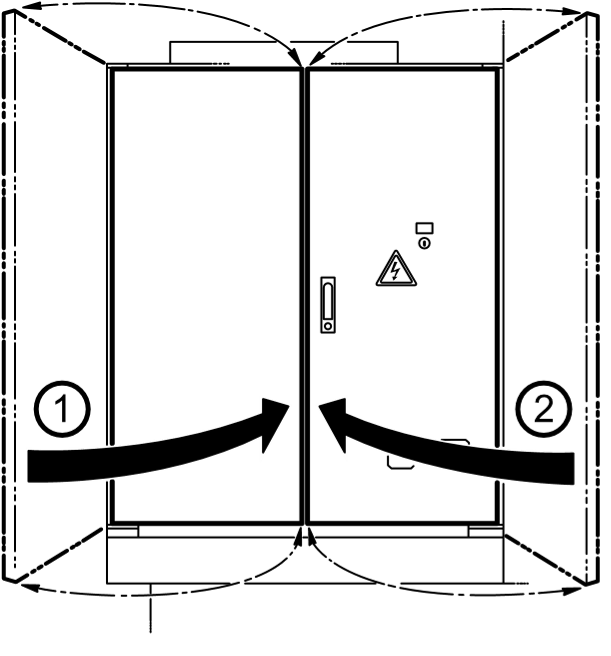
- Close the left side of the electrical cabinet door.
- Close the right side of the electrical cabinet door.
- Rotate the lever downward.
- Push the lever inward to engage the latch.
- Turn the key below the lever to lock the door.
- Pull out the key. (Operator Note: You are responsible for the safe storage of this key! Do not leave it in the lock).
Managing the Main Power Switch
Understanding the main power switch is vital for troubleshooting and Lockout/Tagout (LOTO) safety.
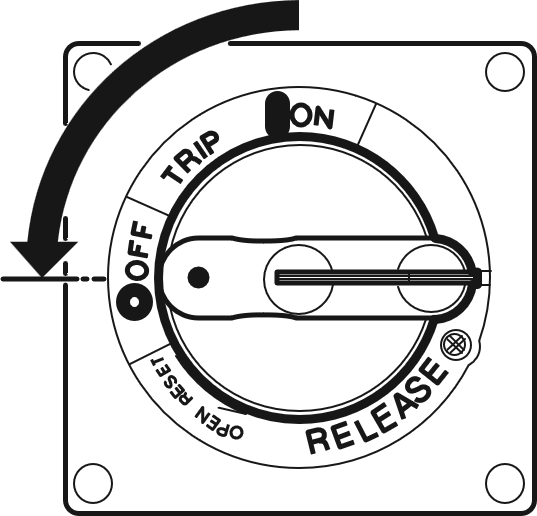
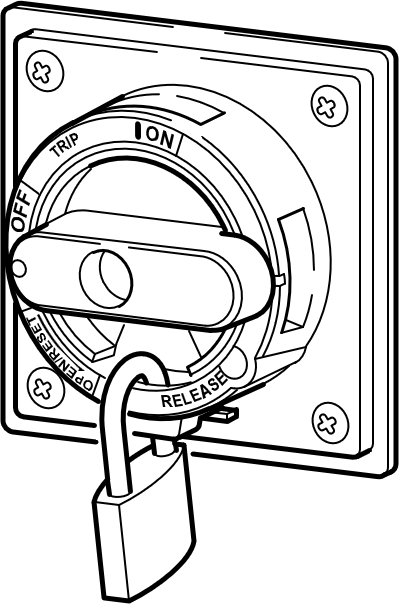
- Resetting a Tripped Breaker: If electrical over-current occurs, the breaker will trip, and the main power switch handle will automatically move to the [TRIP] setting.
- How to reset: Return the handle to the [OFF] setting first, and then turn it back to the [ON] setting.
- Lockout/Tagout (LOTO): If you or a maintenance technician are performing dangerous internal maintenance, the main power switch MUST be locked in the [OFF] position using a padlock. Never remove a lock or place the switch in the [ON] position if a maintenance lockout is in progress.
Pro-Tip for Operators:
First-level maintenance is all about observation and basic care. When the cabinet is open, look for signs of dust buildup, loose connections, or coolant leaks near the cabinet seals. If you see anything abnormal, do not touch the internal components close the door, lock it, and report it to your maintenance department immediately.
Always refer to your machine’s specific OPERATION MANUAL for detailed power ON/OFF procedures and model-specific maintenance schedules. Stay safe and keep machining!


