
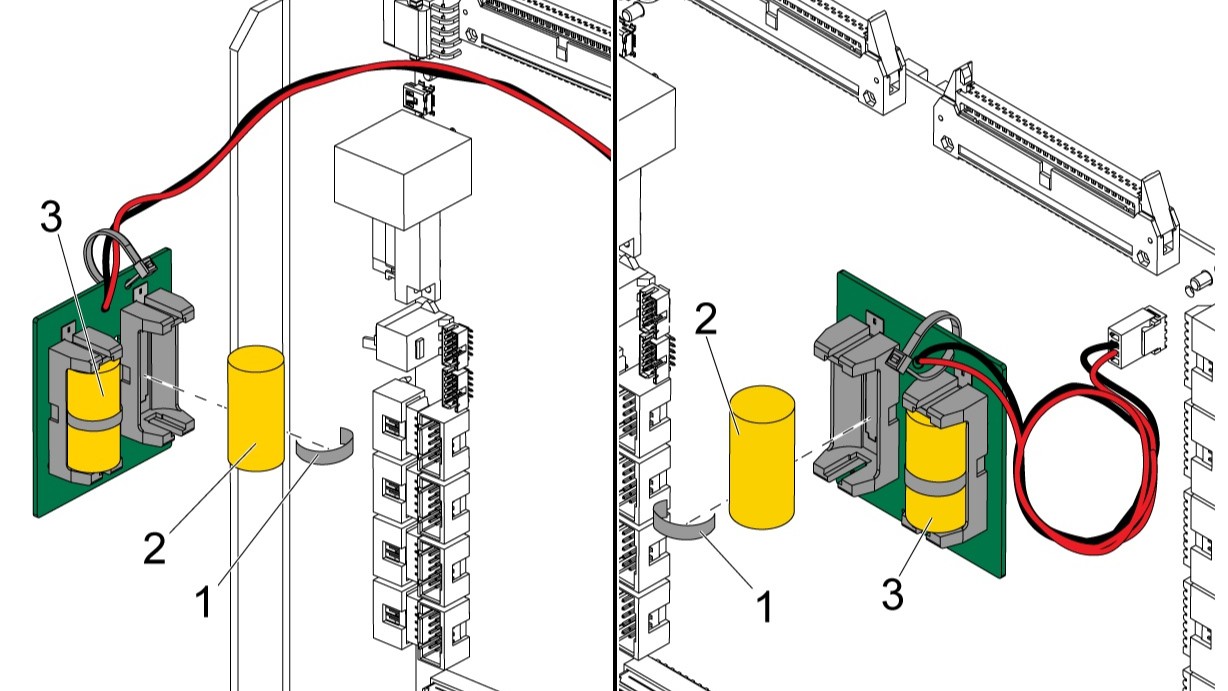
Computer Numerical Control (CNC) machines are the beating heart of modern manufacturing. They hold the precise parameters, macro variables, tool offsets, and pitch error compensation data that keep your parts within tolerance. But all this critical data relies on a tiny, often overlooked, and inexpensive component: the memory back-up battery.
When these batteries fail, the results can be catastrophic. A dead battery means lost parameters, which translates to machine downtime, scrambled tool paths, and hours (or days) of frustrating troubleshooting.
Whether you are running a Fanuc, Siemens Sinumerik, Heidenhain, or Fagor control, replacing the memory battery is a routine maintenance task. However, doing it incorrectly can wipe your machine’s brain. In this comprehensive guide, we will walk you through the golden rules of battery replacement and provide system-specific instructions for the four major CNC brands.
The Golden Rule: The “Power ON” Mandate
Before we dive into specific brands, we must establish the absolute, non-negotiable golden rule of CNC battery replacement: Never turn off the control power while replacing the battery.
CNC memory (specifically SRAM, which stores parameters and offsets) is volatile. It requires a continuous trickle of power to retain data. When the machine is running, the main power supply provides this trickle. When the machine is turned off, the back-up battery takes over. If you remove the battery while the control power is off, the memory will instantly lose power, and your parameters will be erased.
The Safety vs. Power Paradox:
You might be thinking, “But safety protocols dictate I must lock out the main power before opening the electrical cabinet!” This is a common point of confusion. Here is the correct procedure:
- Turn OFF the main disconnect (the 480V/3-phase power) to ensure your safety from lethal voltages.
- Leave the Control Power ON. Most machines have a separate control power transformer or a 24V DC supply that remains active even when the main spindle/axis drives are locked out.
- Verify that the CNC screen is still illuminated or that the control is still “alive.”
- Proceed with the battery swap.
- Once the new battery is seated, you can safely turn the main disconnect back on.
Always consult your specific machine tool builder’s electrical manual, as some modern machines feature external battery boxes that can be swapped with the main power completely off.
1. Fanuc: Beating the “300” Alarm
Fanuc controls are ubiquitous in the industry, and their battery replacement procedures are generally straightforward, though they vary slightly depending on the series (e.g., 0i, 30i, 31i).
Identifying the Need:
Fanuc will warn you before the battery dies. You will see a 300 APC Alarm (or sometimes a 368 alarm) on the screen, accompanied by a message stating “Battery Down” or “Replace Battery.” Do not ignore this alarm. You typically have a few weeks of control-off time before the memory is actually lost, but you should replace it immediately.
Battery Types and Locations:
- CR2032 Coin Cells: Found in older or smaller Fanuc controls. These are housed in a small plastic socket on the CPU board.
- AA Lithium Packs: Many modern Fanuc controls use a specialized wire-ended battery pack (e.g., A98L-0031-0025) housed in a plastic tray attached to the side or top of the control cabinet.
The Replacement Process:
- Ensure the control power is ON (screen is active).
- Open the electrical cabinet. If using the external battery tray, simply unclip the old pack and plug in the new one.
- If the battery is located inside the CNC unit on the CPU board, carefully remove the cover of the Fanuc unit.
- Locate the battery. If it is a CR2032, gently pop it out and press the new one in (ensure the + side is facing up). If it is a wire-ended pack, unplug the white connector, swap the batteries in the tray, and plug it back in.
- Once replaced, you may need to clear the 300 alarm by turning the control power off, waiting 10 seconds, and turning it back on. You may also need to re-initialize the absolute position of the axes if the alarm specifically stated an absolute position loss.
2. Siemens Sinumerik: Navigating the NCU
Siemens Sinumerik controls, particularly the legacy 840D and 810D models, rely heavily on back-up batteries to maintain NC memory and the system clock. (Note: Newer 840D sl systems use non-volatile memory and CF cards, significantly reducing battery dependence, though clock batteries may still be present).
Identifying the Need:
The HMI (Human Machine Interface) will display a diagnostic message such as “Battery for NC memory low” or “Replace battery.” Additionally, if the system clock keeps resetting to the default date every time the machine is powered off, your clock battery is dead.
Battery Types and Locations:
Sinumerik batteries are typically 3.6V Lithium cells (like the Siemens 6ES7 971-1AA00). They are usually located in the NCU (Numerical Control Unit) or the PCU (Panel Control Unit).
The Replacement Process:
- Ensure the 24V DC control power is ON. The NCU LEDs should be lit.
- Open the cabinet and locate the NCU.
- On the front or top of the NCU module, you will find the battery compartment. Some are accessed via a small sliding door, while others require you to unplug a small wire harness.
- Carefully remove the old battery. Crucial tip: If the battery is wire-ended, do not pull the wires; pull the plastic connector.
- Insert the new 3.6V battery, ensuring correct polarity.
- If you replaced the clock battery, you will need to access the Sinumerik service menu to reset the date and time. If you replaced the NC memory battery, reboot the control to clear the diagnostic message.
3. Heidenhain: Keeping the TNC Alive
Heidenhain TNC controls (such as the iTNC 530, TNC 620, and TNC 640) are renowned for their conversational programming and high precision. Like Fanuc, they use batteries to protect volatile memory, but they also use them to protect the encoders’ absolute position data in some configurations.
Identifying the Need:
Heidenhain is very vocal about low batteries. You will see a prominent warning message on the screen: “Battery low” or “Replace battery.” In some cases, if the battery for the axis encoders dies, you will lose absolute positioning and be forced to perform a full “datum” (homing) procedure using a reference tool.
Battery Types and Locations:
Heidenhain typically uses standard 3.6V Varta lithium batteries (e.g., ERN 1381) or specific Heidenhain-branded battery packs. They are usually located on the main CPU board inside the TNC control unit, or in the axis controller modules if they are managing encoder memory.
The Replacement Process:
- Verify the control power is ON and the TNC screen is active.
- Open the control cabinet. If the battery is on the main TNC CPU, open the front cover of the TNC unit.
- Locate the battery holder. Heidenhain often uses a specific plastic clip or a small wire harness.
- Remove the old battery and install the new one. Pay strict attention to the polarity markings on the board.
- Close the unit. To clear the alarm, you usually need to reset the control (turn off the main control breaker, wait for the screen to go black, and turn it back on).
- Warning: If the battery died completely before you replaced it, you will see a “No reference” or “Datum lost” alarm. You will need to manually reference all axes before running any programs.
4. Fagor: Protecting the 8000 Series
Fagor automation controls, particularly the 800 series (8055, 8060, 8065), are robust and widely used in lathes and mills. Their memory backup systems are similar to Fanuc but have their own specific quirks.
Identifying the Need:
Fagor will display a “Battery low” message in the message line at the bottom of the screen. If ignored, the machine will eventually fail to boot, displaying an error related to missing parameters or a corrupted CNC configuration.
Battery Types and Locations:
Fagor typically uses standard 3V CR2032 lithium coin cells or specific 3.6V lithium packs. These are located directly on the CPU board inside the main Fagor control unit.
The Replacement Process:
- Ensure the control power is ON.
- Open the electrical cabinet and remove the cover of the Fagor CNC unit to expose the CPU board.
- Locate the battery. If it is a CR2032, it will be in a small circular socket. If it is a pack, it will be connected via a small white plug.
- Swap the battery. If using a coin cell, use a non-conductive tool (like a plastic spudger or your fingernail) to pop it out, to avoid accidentally shorting other components on the board.
- Once the new battery is in place, you can turn the control power off and back on to clear the low battery message.
- Check your parameters. If the machine boots up normally, your memory was preserved. If it asks for a “CNC Configuration” reload, the battery died before you could swap it, and you will need to restore from your USB/CF card backup.
Best Practices for Preventative Maintenance
Replacing the battery is only half the battle. To ensure zero downtime, adopt these best practices:
- Keep Spares in Stock: Do not wait for the alarm to buy a battery. Keep at least two spare, manufacturer-recommended batteries in your maintenance crib. Ensure they are stored in a cool, dry place to maximize shelf life.
- Schedule Annual Checks: Make battery voltage testing part of your preventative maintenance (PM) schedule. You can measure the voltage of the battery while it is in the machine (with control power ON) using a multimeter. If it reads more than 10% below its nominal voltage (e.g., a 3.6V battery reading 3.2V), replace it immediately.
- Maintain Off-Machine Backups: The battery is your first line of defense, but a backup file is your ultimate safety net. Regularly back up your parameters, macros, pitch files, and tool tables to a USB drive, CF card, or network server. If a battery fails while the machine is off, a good backup file can turn a three-day disaster into a three-hour inconvenience.
- Use OEM or High-Quality Replacements: Avoid cheap, no-name batteries from the internet. A leaking battery can destroy a $5,000 CPU board. Always use name-brand lithium cells (like Panasonic, Varta, or Energizer) or OEM-specific packs.
Conclusion
The CNC memory back-up battery is a tiny component with a massive responsibility. By understanding the specific requirements of your Fanuc, Sinumerik, Heidenhain, or Fagor control, and by strictly adhering to the “Power ON” golden rule, you can easily swap these batteries without risking your machine’s critical data.
Take a walk out to the shop floor today. Check your machine screens for low battery warnings, verify your spare parts inventory, and ensure your parameter backups are up to date. A little proactive maintenance today guarantees smooth, uninterrupted production tomorrow.
Have you ever experienced a parameter loss due to a dead battery? Share your war stories and recovery tips in the comments below!