
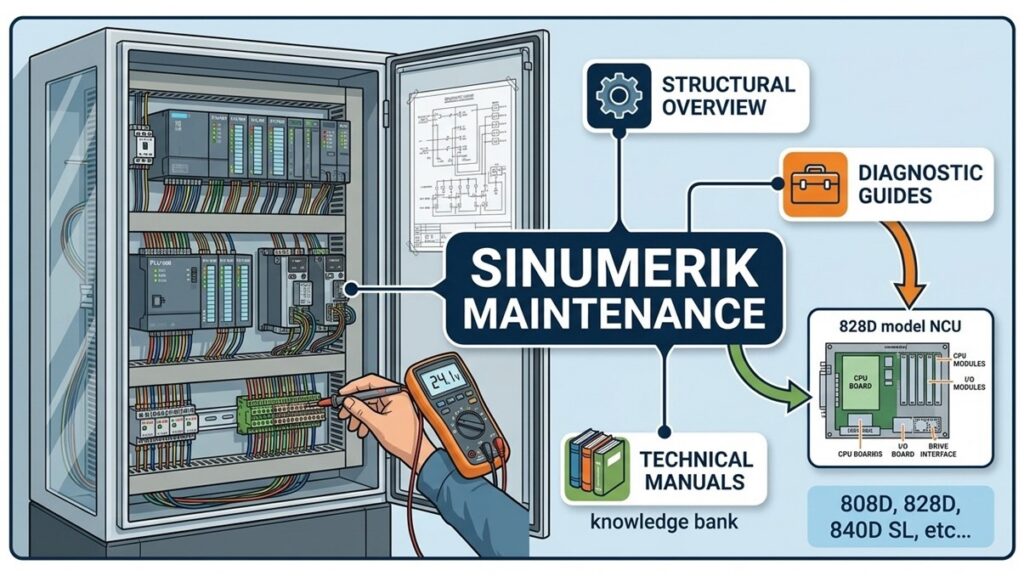
In the field of machine tool automation, the Siemens Sinumerik 808D (and 808D ADVANCED) series has established itself as an essential entry-to-mid-level control solution for standard turning and milling applications. Engineered for high reliability on basic metal-cutting machinery, understanding its underlying hardware structure and diagnostic principles is crucial for electromechanical technicians and engineers aiming to minimize production downtime.
This guide breaks down the physical architecture of the Sinumerik 808D and outlines practical preventive maintenance and troubleshooting strategies for the shop floor.
1. Hardware Architecture & System Layout
The Sinumerik 808D features a compact, panel-based design where the CNC kernel, Human-Machine Interface (HMI), PLC, and motion control interfaces are integrated into a single hardware assembly known as the PPU (Panel Processing Unit).
+-------------------------------------------------------------------+
|                        PPU (Panel Processing Unit)                |
|  - Integrated LCD Screen & Operator Keyboard                      |
|  - Embedded CNC Core + PLC Logic Controller                       |
|  - Interfaces: USB, RS232, Ethernet, Fieldbus                     |
+-------------------------------------------------------------------+
                                  |
            +---------------------+---------------------+
            | (Fieldbus Communication)                   |
            v                                           v
+-----------------------+                   +-----------------------+
|   SINAMICS Drives     |                   |  I/O Modules (IX)     |
|  (e.g., V70 / S120)   |                   |  Sensors / Actuators  |
+-----------------------+                   +-----------------------+
            |
            v
+-----------------------+
| Motors & Encoders     |
+-----------------------+
Key Hardware Components:
- PPU (Panel Processing Unit): Serves as the central processing brain. It houses the mainboard, CNC core execution unit, PLC logic processing, and front-end operator panel.
- Drives & Servomotors (SINAMICS V70): Typically paired with SINAMICS V70 drives and SIMOTICS S-1FL6 servomotors, the 808D utilizes a dedicated high-speed serial bus (or DRIVE-CLiQ interface on ADVANCED variants) for closed-loop position and velocity control.
- I/O Subsystem: Integrated terminals on the back of the PPU allow direct wiring for machine limit switches, operator panel controls, coolant pumps, and safety interlocks.
2. Preventive Maintenance & Diagnostic Workflow
To maintain high operational availability and prevent unexpected control failures on machines equipped with a Sinumerik 808D, maintenance engineers should adhere to the following diagnostic protocols:
A. Data Backup Procedure (CNC/PLC Archives)
Always create a complete system archive prior to servicing, electrical panel modifications, or parameter adjustments:
- Insert a FAT32-formatted USB flash drive into the front panel port of the PPU.
- Navigate to System Data / Commissioning on the operator panel.
- Perform a full system export (NC/PLC/Startup Data Archive). This file is vital for restoring machine parameters in the event of memory corruption or PPU board replacement.
B. Status LED Diagnostics
Check the diagnostic LEDs located on the rear terminal side of the PPU and on the SINAMICS V70 drive units:
- RDY (Ready) – Solid Green: The PPU power supply is stable, initialization is complete, and system communication is healthy.
- RDY – Red or Flashing: Internal power rail fault, CNC kernel boot failure, or hardware fault within the PPU unit.
- NC/PLC Status LED: Indicates whether the PLC control logic is in
RUNorSTOPmode.
C. 24 VDC Power Rail Integrity
Unexplained intermittent resets or communication faults on the 808D are frequently linked to poor 24 VDC control power quality. Ensure that incoming supply voltage at the PPU power terminals remains strictly within 20.4 VDC to 28.8 VDC, even during inductive load switching (e.g., solenoid valves, magnetic contactors, or spindle brakes).
3. Troubleshooting Common System Alarms
| Alarm Code | Description | Probable Cause | Corrective Maintenance Action |
| Alarm 3000 | Emergency Stop Active | E-stop safety circuit open, or axis hard limit switch tripped. | Inspect the 24V emergency stop safety loop, physical limit switches, and wiring continuity. |
| Alarm 25201 | Following Error / Servo Fault | Mechanical axis binding, encoder feedback cable interference, or drive fault. | Check mechanical axis freedom/gib tightness, inspect encoder cabling shield grounding, and check SINAMICS V70 drive status. |
| Alarm 70000+ | Custom PLC OEM Alarm | Interlock condition not met (e.g., low lube pressure, door safety open, low pneumatic pressure). | Check input status flags in the PLC diagnostics screen and verify physical sensor actuation. |
Conclusion
The Siemens Sinumerik 808D delivers a robust, all-in-one architecture that reduces cabinet wiring complexity and simplifies basic maintenance. Maintaining a strict routine of regular USB archive backups and monitoring power supply stability will eliminate the vast majority of downtime risks on the factory floor.


